Iron Snout Unblocked — Play Free Online
More Smash & Fighters games





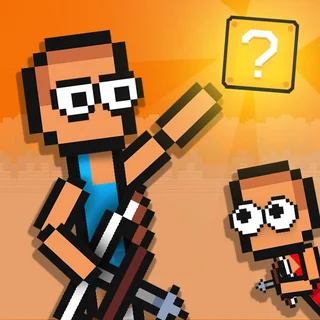

Iron Snout unblocked: play Iron Snout online free right here in your browser — no download, no sign-up, works on a school Chromebook.
Iron Snout drops you into the shoes of a fearless, kung-fu pig stationed in the center of the screen, facing down endless waves of hungry wolves. Enemies rush in from both flanks armed with butcher knives, axes, chainsaws, and pogo sticks. The combat is lightning-fast, demanding immediate reflexes and precise timing as you kick, punch, and dodge everything the forest throws at you.
For players browsing Super Smash Flash 2, Iron Snout delivers that same immediate fighting satisfaction in a compact, hyper-focused format. There is no complex arena traversal or lengthy setup; each run begins instantly and tests how long your combo discipline holds under relentless pressure.
How to play
Your pig stays planted in the middle of the arena while you direct attacks in all directions using the arrow keys or WASD:
- Left and Right: Throw quick straight punches and side strikes to fend off enemies rushing at ground level.
- Up: Execute high jump kicks, backflips, and aerial strikes to swat away wolves descending on balloons or leaping from above.
- Down: Crouch low to dodge thrown weapons and sweep the legs of charging wolves.
- Mid-air combinations: Press Up followed by Left or Right to deliver horizontal flying kicks, or press Down while airborne to execute a heavy ground slam.
- Catching and throwing: Striking right as an enemy projectile arrives lets you snatch cleavers, axes, and rockets out of the air or kick them straight back into the crowd.
Combat tips
Surviving long enough to build a massive score requires staying proactive rather than waiting for wolves to reach you:
- Alternate your attention: Never focus exclusively on one side. Alternate punches between the left and right flanks to prevent enemy clusters from overwhelming you.
- Duck under thrown blades: Wolves with butcher knives will fling them from a distance. Tapping Down lets you cleanly duck under the blade, which often flies past and strikes wolves coming from the opposite side.
- Kick weapons back: Kicking dropped shields, severed weapons, and thrown cleavers pierces multiple enemies in a single shot, instantly resetting the tempo of a chaotic round.
- Use aerial jumps for evasion: Jumping straight up creates split-second invulnerability against low sweeps and ground charges while preparing a destructive dive kick.
Similar games on Super Smash Flash 2
If you enjoy the rhythmic, high-speed brawling of Iron Snout, explore Stickman Fighter: Epic Battles for another two-directional survival challenge. For platform arena battles with knockouts and stage hazards, jump into Super Smash Flash 2 and Gun Mayhem 2, or try Bearsus for goofy two-button wrestling action.
The game runs natively in HTML5, meaning you can jump straight into a brawl on a laptop, desktop, or Chromebook without downloads or extra setup. A standard keyboard offers the fastest response time for chaining rapid combos.
Questions about Iron Snout
Is Iron Snout unblocked at school?
Iron Snout runs in an ordinary browser tab from supersmashflash2.org, with nothing to download or install, so it plays on most school Chromebooks and work computers. If a network filter blocks the site, only that network's administrator can change it.
What are the controls for Iron Snout?
Use the arrow keys or WASD to attack in all directions. Up jumps and high-kicks, Down crouches and sweeps, and Left or Right throws rapid punches.
Can you deflect and throw weapons in Iron Snout?
Yes. Attacking right as an axe, cleaver, or projectile reaches you will catch or kick it straight back into incoming enemy wolves.
Does Iron Snout save your high score?
Yes, your best kill counts and session high scores are saved locally in your browser so you can track your personal records across runs.
Can you play Iron Snout on Chromebooks or laptops?
Iron Snout runs smoothly in any standard HTML5 web browser, requiring no downloads or plugins. A physical keyboard is recommended for fast inputs.